
Efficient Guide: 15 Working Null’s Brawl Server Commands for Account Configuration
Are you looking to max out your account instantly after download or trying to find secret features in Nulls Brawl? While playing on a private server gives you unlimited resources, unlocking every brawler and upgrading them one by one can still be tiring.
That is where Nulls Brawl Commands come in. These are special developer codes that allow you to control the game. Whether you want to unlock all skins, add trophies, check your ping, or even use experimental features like invisibility, these commands do it all.
In this guide, we provide the ultimate list of all working commands for 2026, including the newly discovered secret codes.
Disclaimer: We are not affiliated with Supercell. These commands work only on the Nulls Brawl private server.
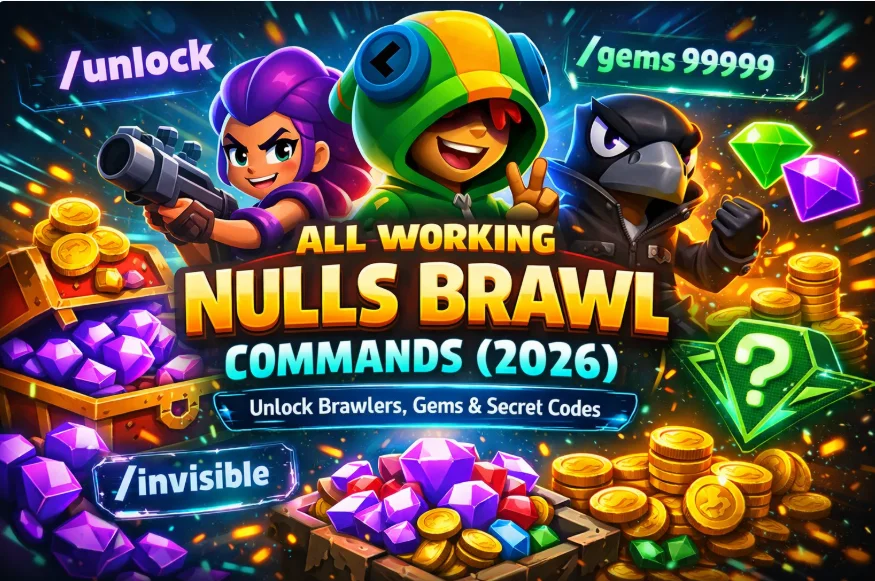
The Ultimate Null’s Brawl Commands Hub
This is where the real fun begins. What you’re about to see isn’t just a list of commands — it’s your control panel for total domination in Null’s Brawl. These powerful shortcuts let you unlock every Brawler, max out your account, gain unlimited resources, and customize your gameplay without grinding for hours. These commands below give you everything in a few seconds.
1. Essential Progression Commands
These are the most important commands for setting up your account immediately.
Unlock All Brawlers
- Command: /unlock
- Description: Instead of opening endless boxes, this command instantly unlocks every Brawler (Rare to Legendary).
Max Your Account
- Command: /full
- Description: Upgrades all unlocked brawlers to Power Level 11, unlocks all Hypercharges, Gadgets, and Star Powers.
Reset Account
- Command: /clean
- Description: If you want a fresh start, use this. It resets your account configuration to default but usually keeps your brawlers that have trophies.
2. Profile Customization & Resource Simulation
These commands allow users to set specific resource levels on their account for testing store interactions. It facilitates a quicker analysis of the game’s ranking system by adjusting profile stats in a controlled setting.
Add Trophies
- Usage: /addscore <number>
- Example: /addscore 500
- Purpose: Facilitates quicker progression through the game’s ranking system. It adds the specified amount of trophies to unlocked brawlers, allowing you to unlock Arena rewards without grinding matches.
Get Unlimited Gems & Gold
- Usage: /gems <number> or /gold <number>
- Example: /gems 100000
- Purpose: While Nulls Brawl usually gives unlimited resources, if you ever run out or want a specific amount, you can set it manually using these codes.
3. Utility & Technical Commands
These commands help you check the game’s health and copy features.
Check Server Lag
- Usage: /latency
- Description: Shows your current latency (ping) to the battle servers in milliseconds.
- Purpose: Helps players assess connection quality. If your ping is high (e.g., 200ms+), you might want to switch networks before starting a match.
Copy Maps
- Usage: /copymap <tag>
- Example: /copymap P28WD
- Purpose: If you see a map you like in the community slots or from a friend, you can copy it directly to your map maker list using its unique tag.
Help Menu
- Usage: /help
- Description: Displays the official list of available commands inside the game chat. Useful if you forget a specific code.
4. Secret & Fun Commands (Experimental)
These are hidden or experimental commands that are often used for testing or fun in friendly matches.
Note: Some of these may be patched or available only in specific events
How to Use These Commands
After reading and analyzing these nulls brawl commands one question is rising in your mind is how to use these commands safely. We just not give you the commands but also helps you to use them. Using these codes is very simple. You do not need console access; you just need the in-game chat.
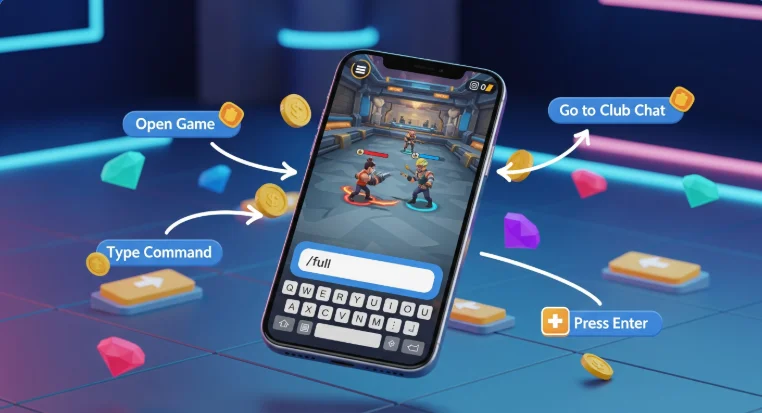
Alternative Method Of Using Null’s Brawl Commands
If you find typing codes difficult, the developers of Nulls Brawl have added an easier way to use these Nulls Brawl commands directly from the in-game Shop.

Tips for Using Null’s Brawl Commands Safely:
Quick Null’s Brawl Commands Reference Table
Command
What It Does
Example Usage
/help | Shows a list of all server commands. | /help |
/unlock | Unlocks all brawlers and skins instantly. | /unlock |
/full | Maxes out your account (Star Powers, Gears, Gadgets). | /full |
/clean | Resets your account to default (keeps scored brawlers). | /clean |
/addscore | Adds a specific number of trophies to all brawlers. | /addscore 1000 |
/gems | Set the number of gems on your account. | /gems 99999 |
/gold | Set the number of coins on your account. | /gold 1000000 |
/status | Shows current server status and players online. | status |
/latency | Shows your ping (internet speed) to the server. | /latency |
/copymap | Copies a player’s map using their unique tag. | /copymap ABC1234 |
/uwu | Triggers the Angel & Demons event theme selector. | /uwu |
Conclusion
These Nulls Brawl Commands make the Nulls Brawl experience 10x better by removing the grind and letting you focus on the fun. Whether you are using /addscore to flex your profile or /copymap to build arenas, these codes are essential tools for every player.
Try them out today and dominate the arena!

I have been browsing online more than 3 hours today, yet I never found any interesting article like yours.
It is pretty worth enough for me.In my view, if all webmasters and bloggers made good content as you did,
the internet will be a lot more useful than ever before.
Hi my loved one! I want to say that this article is awesome, nice written and come with approximately all significant infos.
I’d like to look more posts like this .
Nice post. I was checking constantly this blog and
I’m impressed! Extremely useful information specially the last part 🙂 I care for such information much.
I was seeking this particular info for a long time. Thank you and
good luck.
Amazing! Its in fact awesome article, I have got much clear idea
about from this piece of writing.
I don’t even understand how I finished up here, but I thought this submit was once good.
I do not recognise who you’re but definitely you are going to a famous blogger should you aren’t already.
Cheers!
Pretty! This has been an incredibly wonderful article.
Thank you for providing this information.
What you posted made a great deal of sense. But, what about this?
suppose you typed a catchier title? I am not suggesting your information is not solid,
however what if you added a headline to possibly grab
people’s attention? I mean 15 Nulls Brawl Commands to Unlock Brawler, Gem & Secret Code is kinda vanilla.
You could glance at Yahoo’s home page and see how they create
article headlines to get viewers interested. You might try adding a
video or a related picture or two to grab people interested about everything’ve got to say.
In my opinion, it could make your blog a little livelier.
Its such as you learn my mind! You appear to grasp so
much about this, like you wrote the e-book in it or something.
I feel that you simply can do with some percent
to power the message home a little bit, but other than that, this is excellent blog.
An excellent read. I’ll certainly be back.