
Nulls Brawl Not Opening? Fix Login Failed & Stuck at 92% Instantly (Proven Solutions)
Imagine when you are ready to battle, you tap on Nulls Brawl, but the Nulls Brawl Not Opening. The loading bar freezes at 92% or 20%. You wait, you restart, but nothing happens.
It is frustrating, right? You might even feel scared that you lost your maxed-out account or got banned.
But don’t worry! You are not banned, and your account is likely safe. This “Login Failed” error is very common on private servers. This Nulls Brawl Not Opening issue usually happens because of a weak internet handshake or a full server.
Here is a complete, easy-to-understand guide with 6 simple methods to fix Nulls Brawl Not Opening issue in less than 2 minutes.
⚠️Disclaimer: We are not affiliated with Supercell. Use it at your own risk.
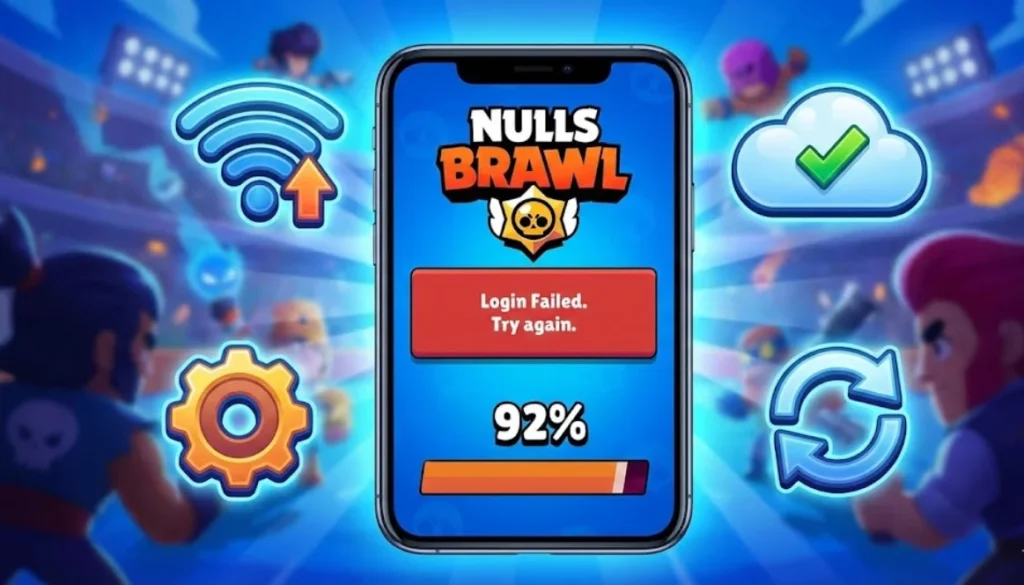
Why Does Nulls Brawl Get Stuck at 92%?
Before we fix it, let’s quickly understand why your game is breaking. This usually happens for three main reasons:
- Server Overload: Nulls Brawl servers are private, and when too many players join at once, the server rejects new connections and then you got popup of Nulls Brawl Not Opening.
- Internet Glitches: Sometimes your WiFi is strong, but it can’t “handshake” with the game server properly.
- Outdated Version: If an update just dropped, your old app version will simply refuse to load.
👍Here are the tested solutions to fix these errors.
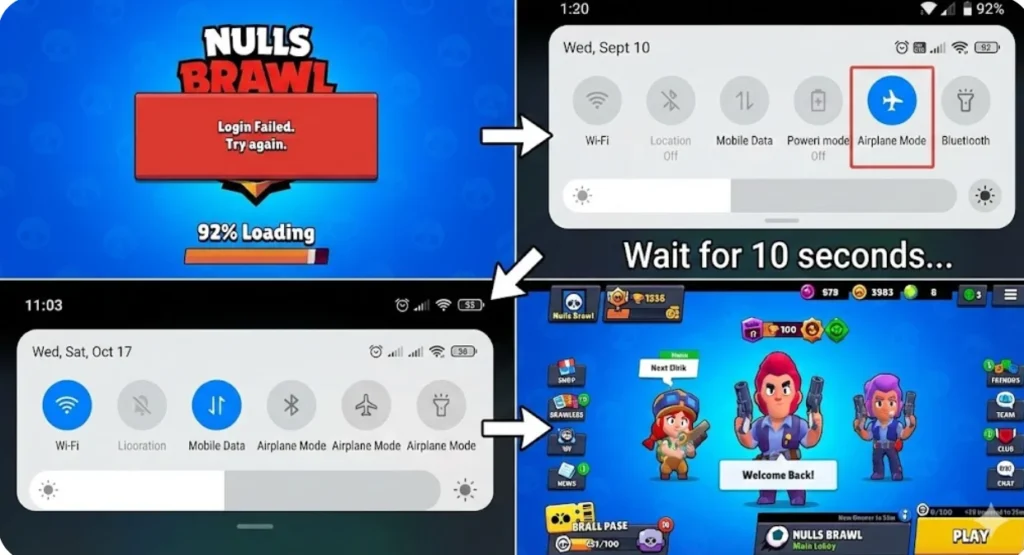
Method 1: Fix Nulls Brawl Login Failed Using Airplane Mode
This sounds too simple to be true, but it is the most effective trick for Android users when Nulls Brawl Not Opening.
- Close the Nulls Brawl app completely (swipe it away from your recent apps).
- Turn on Airplane Mode on your phone.
- Count to 10 slowly.
- Turn off Airplane Mode and reconnect to your WiFi or Mobile Data.
Why it works: This instantly refreshes your network signal and creates a new connection path to the private server.
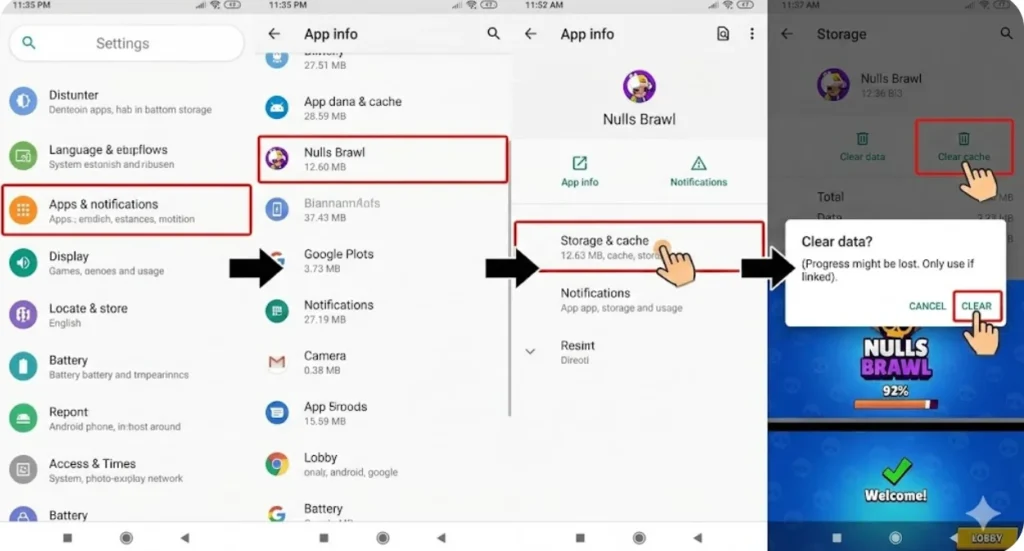
Method 2: Clear Cache to Fix Nulls Brawl Stuck at 92%
Over time, your phone collects temporary files (junk) that can get corrupted, causing the loading bar to freeze.
- Step 1: Open your phone Settings.
- Step 2: Go to Apps > Nulls Brawl.
- Step 3: Tap on Storage and select “Clear Cache”.
Warning: Be careful! Do NOT click “Clear Data” unless you have linked your account to Nulls Connect, otherwise, you might lose your progress.
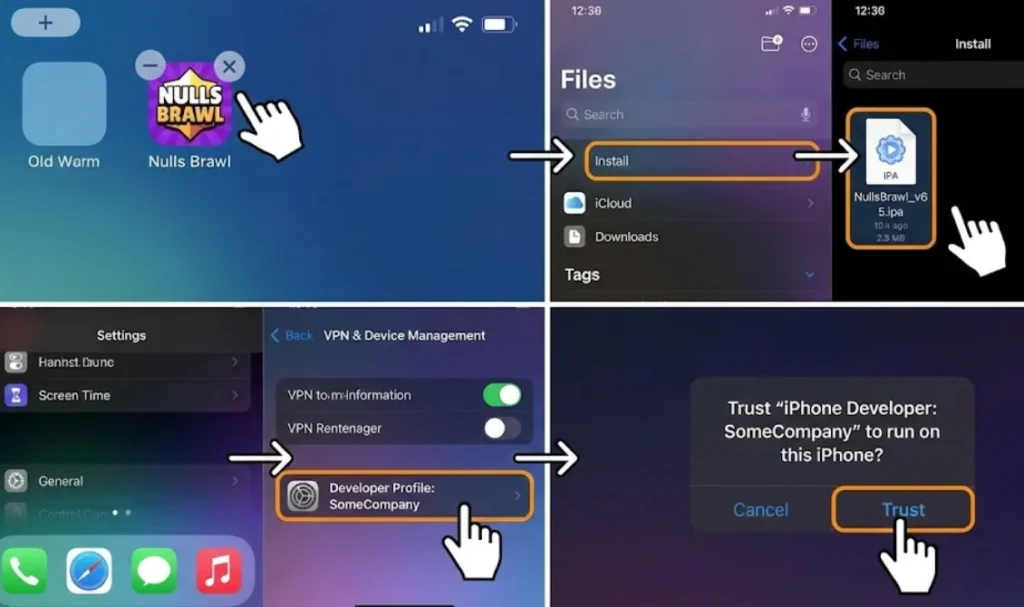
Method 3: Fix Nulls Brawl Crashing on iOS (iPhone/iPad)
If you are playing on an iPhone or iPad, simply updating the game often leads to crashes or a black screen.
The Fix: You must delete the old app and perform a fresh install using the latest IPA file.
⚠️Note: Always ensure you have trusted the developer profile in your device settings to avoid installation errors.
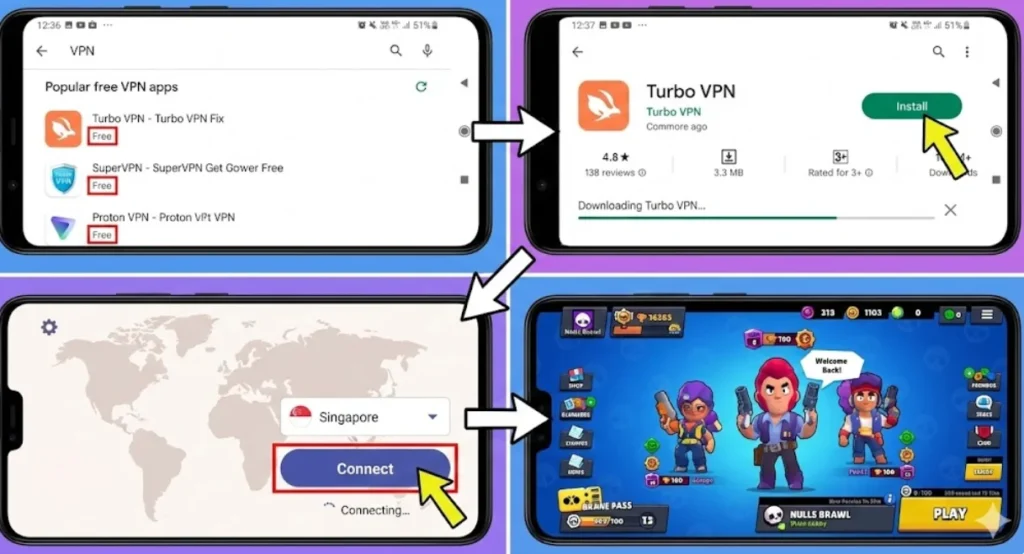
Method 4: Solve “Unable to Connect to Server” with a VPN
Sometimes, your internet provider (ISP) blocks the specific connection to private game servers.
- Download a free VPN from the store.
- Connect to a different region (like Singapore or Europe).
- Open the game.
- Once you are in the lobby, you can disconnect the VPN to stop any gameplay lag.
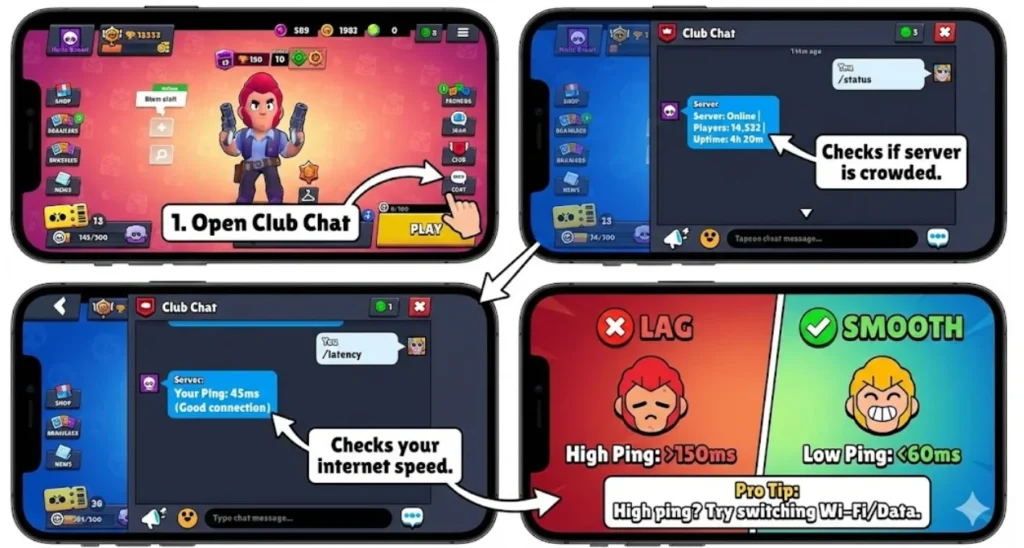
Method 5: Check Server Status & Latency to Fix Lag
If you can enter the game but it keeps lagging or disconnecting, the issue might be on the developer’s side. You can check this using in-game commands:
- Type /status in the Club Chat to see if the server is overcrowded with players.
- Type /latency to check your ping. If the number is high, your internet connection is too weak for the server.
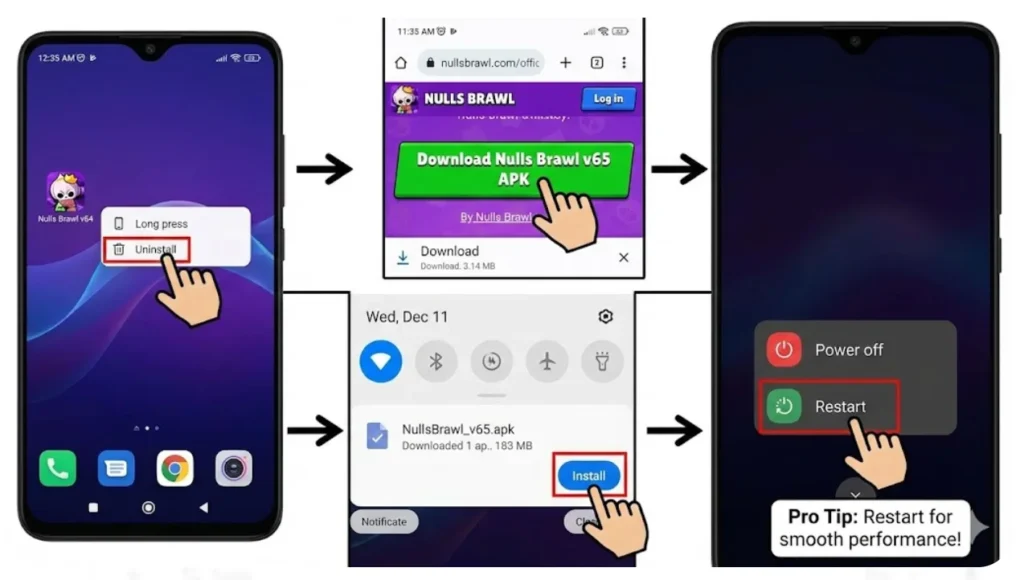
Method 6: Update Nulls Brawl to Fix Loading Errors
If you are using an old version (like v64), the game will never open because the server has moved to v65.
- Delete the old APK file from your phone.
- Download the latest version from our website.
Pro Tip: Android users should fully restart their phone after updating to prevent crashes and loading errors.
Frequently Asked Questions (FAQs)
Conclusion
When Nulls Brawl Not Opening and getting stuck on the loading screen is annoying, but it is rarely a big problem. Most of the time, a simple Airplane Mode toggle or Clearing Cache is enough to fix the Nulls Brawl login failed error.
Remember, this is a private server, so small glitches are normal. Just follow these steps, keep your game updated, and you will be back to unlocking legendary brawlers in no time.
Happy Brawling!